Top Toolbar
The top toolbar gives us some controls for creating & modifying layers, and adds a few bonus tools to the kit.
The top toolbar runs along the top left of the canvas editor, ending where the sidebar begins. There are three main groupings of tools on this bar:
- Tools for adding content (1)
- Tools for controlling layers (2)
- Bonus tools (3)

Adding Content
You’ll use this section of the top toolbar, located at the left end, when you want to add new scenes or layers to your canvas. In each case just click on Scenes or Add Layer and choose from the dropdown options that appear.

There is also a Back button you can use to exit the canvas editor.
Layer Tools
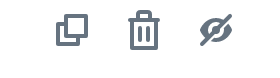
The top toolbar’s layer tools, located in the middle, give you extra ways to work with layers, providing buttons to duplicate, delete and show/hide.
Bonus Tools
The right most section of the toolbar contains a few assorted bonus tools. You have an undo history, control over responsive sizes.
